Showing posts with label Richardson. Show all posts

Monday, February 18, 2013

What has Facebook Become?


2004

I was a freshman in college when Facebook first came around. I remember my friend Cory (she attended Susquehanna University in PA) telling me that my school had Facebook. She was so excited and I was very confused. What in the world was Facebook? I signed up for it anyway, and as I started browsing and experimenting, I learned that it was a place to see profiles of old (and recent) friends while also sharing my own. It was a great way to get back in contact with people I hadn't seen since high school. At the time, Facebook was only open to college students (and not all schools yet had access). 

As time went on, Facebook evolved into something much different. It soon became open to high school students, and now ANYONE can join! Its whole appearance has evolved a lot, too. I remember what it used to look like when it first came out. It was a simple page and you could write on someone's wall and that was about it. Soon, it began to implement features such as adding photos, videos, links, people could "share" things on other people's walls, and now there is a news feed on everyone's home page. Very different from its original appearance. 

Richardson mentions that there are ways to create groups (private) and implement Facebook into the classroom. This raised a big red flag in my mind. Facebook is very much a place for personal information and for personal use. People use it to connect with friends and family. I am very hesitant about using Facebook with students because it would be a mixing of a personal life with a professional one. I can be open minded and see the benefits that Richardson talks about, but I'm not quite convinced to take that leap yet.

 I think Edmodo is a safer alternative to use in schools. What's cool about it is that it looks like Facebook and has many similar features. I learned about this last year in my "Technology for Learning" class. One of the teachers at my school uses this program with her fifth grade students and it has been working very well. Last year I worked in a high school and the teacher I worked with was doing a unit on The Hunger Games. She followed a set of lessons created by another teacher and one of the activities was to have students create Facebook profiles for one of the characters and add updates to that character's wall. This was done via paper/pencil, but I can see great benefits to having students use Edmodo instead. Given that it gives a similar feel to Facebook, I really think students would like using it. It's also a great alternative to using Facebook because teachers and students are able to keep social media meant for personal reasons (Facebook) separate from ones meant for educational purposes (Edmodo).

Do you have any experience using Edmodo? 

Sources: 
Richardson, W. (2010). Blogs, wikis, podcasts, and other powerful web tools for classrooms. Thousand Oaks, CA: Corwin. 

Podcasting (School Radio)

Would You Podcast?

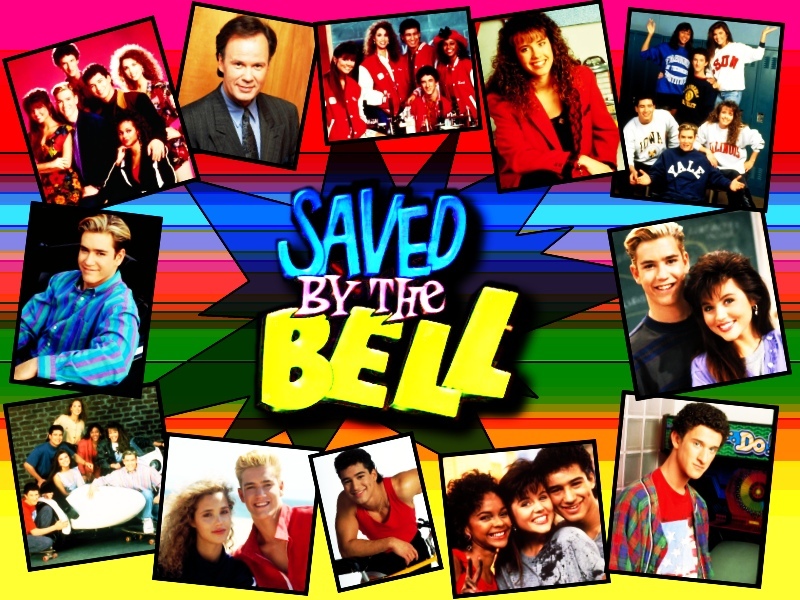
Remember watching "Saved By The Bell?" I used to watch this show all the time. It's a bit dated now, but for those of us who remember, the show touched on a lot of relevant issues and was very relatable! While reading Richardson's chapter on Podcasts, I remembered the episode of "Saved By The Bell" when Zack and his friends discovered the old radio station of their school. They convinced their principal to let them start up the station again and they each took on roles during their radio show. Slater wanted to do the sports segment, and much to everyone's surprise, he was not a very good DJ. It wasn't until the end of the episode that Slater found his "voice." 

From what I remember about the episode was that Zack and his friends had a great time putting on a radio show for their classmates. It gave them a voice and they were able to reach the student body more easily with important news and events. I think this is what podcasting is all about. Richardson explains that students can connect through audio media. 

Being from Madrid myself, one particular podcast site caught my attention: Madrid Young Learners Podcasts. Reading about "tapas" and "Madrid night life" brought me back!

Has anyone tried using podcasts in their schools? I'd love to hear about it!

Sources:
Richardson, W. (2010). Blogs, wikis, podcasts, and other powerful web tools for classrooms. Thousand Oaks, CA: Corwin. 

What is Flickr?

When I first started reading about Flickr, the first things I thought of were Google images and Instagram. I use Google images all the time, and though I don't use Instagram myself, I know of people who do. To be completely honest, this semester is the first I've heard of Flickr.

After reading about Flickr in Richardson's book, I came across something cool that I could actually incorporate with my ELL students. I learned that Flickr is a place to search images and also upload your own if you become a member. One of his ideas is that teachers can start online discussions about images they upload and students can comment on what they see (p.105). This would be a great tool to use with my ELL students to teach vocabulary. 

Richardson also mentions that students and teachers can use Flickr to upload pictures of vacations they take (p.107). What a great way to stay connected and share experiences with your classmates!

Another cool idea was Flickr Magazine Cover where students can use their photos to create a magazine cover. This would be great for a project!

What are your experiences with Flickr? Please share! 

Sources:
Richardson, W. (2010). Blogs, wikis, podcasts, and other powerful web tools for classrooms. Thousand Oaks, CA: Corwin. 
 

Saturday, February 9, 2013

Social Networking: We're Only a Click Away

Twitter

Do you tweet? I haven't used Twitter in either my personal or professional life, but I have learned something about it. Last year I was introduced to Twitter by a professor but the process, I suppose like anything else that's new, seemed overwhelming. From what I understand about Twitter, it provides a stream of tweets that is constantly changing and being updated as people continue to post new tweets. I've heard it's great for educators. You can "follow" someone who has great ideas and stay updated on new happenings in education. Twitter for Teachers is a good example. 

Something else I learned about Twitter was that you can become a member but not contribute to the stream of tweets right away. You can start out by "lurking" around and checking out other people's pages. Once you feel ready to start sharing your own ideas, you can begin to tweet too. 

I remember seeing an article about a kindergarten teacher using twitter with her students. Even more surprising, doctors tweeting during surgery! Check it out here. 

Anyone have any info regarding twitter? Do you use it personally or with your students? I'd love to hear about it!

Sources:
Richardson, W. (2010). Blogs, wikis, podcasts, and other powerful web tools for classrooms. Thousand Oaks, CA: Corwin.  

The Benefits of RSS

What is RSS?

As I read about RSS in chapter 5, I thought about a Facebook newsfeed. When I log into Facebook, the first thing I see on the homepage is a list of posts and pictures other people are uploading. I can see all of these things on my main screen without having to go to everyone's individual walls. This is how RSS works. It's cool to think that we don't have to go out looking for information as much anymore. Once you find a page of interest, you can subscribe to it and it appears in your google reader. It's like receiving a magazine right in your mailbox that you subscribe for instead of going to the store to buy it. 

 
So What are the Benefits?

Clearly there are many ways to use RSS for personal and professional reasons. But I wondered, how might a teacher use it with students? One thing I thought was cool was connecting your Google Reader to your student blogs. Instead of going to each individual blog to read and check over what they're posting, all of their posts could come to you, the teacher, via RSS. What a convenient process! Teaching students to use their own RSS is also something to keep in mind. Instead of constantly looking for information (to use for research, etc), subscribing to pages of interest would be a real time-saver. Would have saved me a lot of time had I known about it!

Examples of RSS Feeds

Richardson mentioned some good examples of RSS feeds to get us started. I thought the Weather and Word of the Day were interesting. 

Sources:
Richardson, W. (2010). Blogs, wikis, podcasts, and other powerful web tools for classrooms. Thousand Oaks, CA: Corwin.
  

Saturday, February 2, 2013

Blogs and Wikis

After reading these two chapters, I have a bit of a debate going on in my mind.... blogs vs. wikis. I can see great benefits to both, though for some reason, wikis make me a bit nervous when thinking about using them in the classroom. My main concern (apparently the same as many others out there) is that anyone can post anything at anytime. Anything. This raises a red flag for me.. Richardson did well explaining that there are ways to approach creating a wiki with students in safe ways. Sometimes only students themselves can edit. This rules out the possibility of random readers adding whatever they want. Louise Maine's wiki uses this approach. Wikis allow the option for a password/login system which I think is great. Much safer in my opinion. I may want to use wikis with my students eventually. I might not be quite there yet, though. I would rather start with using blogs. There are some cool examples of wikis included in this chapter. Some I thought were interesting were the Recipes Wiki and Traveling Wiki. I do love the idea that so many people can come together and share their thoughts/ideas on one page.


Incorporating Blogs into Instruction

I've started thinking about ways I might incorporate blogs into my instruction. I agree with Richardson that the first step to using a blog in your own teaching is to practice with blogging by creating your own first. Teachers should practice blogging before trying to teach kids how to blog. Last year at USJ I created a blog on digital citizenship for my technology for learning course. Click here if you want to take a look at it. It was a fun project!

This year I am teaching language arts with third and fifth graders. Recently we've been coming up with deep questions to ask of ourselves as we read our texts. For homework and during class, I've been having my students read their books and mark down questions they are asking of themselves as they read. These questions should reflect critical thinking. What a great idea it would be to create a class blog and have students respond for homework rather than doing everything paper/pencil. My fifth graders could publish their poems on our class blog, then read each other's poems and comment on them. Ideally, all students would have their own computers at home. This isn't always the case, but there are ways to work around that. Perhaps we could take time each week to go to the computer lab and blog.

Blog Safety

Blog safety is very important. Richardson suggests having students create pseudonyms so they don't use their real names on the blog. I took a course in undergrad where we blogged as part of our homework. We created usernames so our identities remained anonymous. This also opens up a new feeling of freedom. Students can write without fear of judgment.

With blogs, I like the feature that allows the teacher to revise any posting first before it is published. Teachers also have the power to accept or reject an outside source form posting on the blog. This is a very important feature when blogging within schools. I may not use blogger with students. Some good alternatives are Edublogs or Kid Blogs. They seem a bit more kid-friendly.

Am I not being open minded enough with the wikis? I'd love to hear if anyone has used them with their students. How did you use them? Did you find the experience beneficial? What did you like or dislike about wikis?

Sources:
Richardson, W. (2010). Blogs, wikis, podcasts, and other powerful web tools for classrooms. Thousand Oaks, CA: Corwin.

Monday, January 28, 2013

Blogging on the Read/Write Web

In these first chapters, Richardson alludes to the idea that technology is really making waves in all aspects of life today, including education. He explains that the people who will know the most about these technologies are probably just being born. Teachers today face somewhat of a challenge given that many are not fully aware of the programs out there and how to best use them in their classrooms. Richardson states: "Whereas students are open to the ways of new technologies, schools by and large are not" (8). With regard to technology, schools at times lack appropriate resources and teachers who may have the materials do not always know how to best use them.

One of the ideas that Richardson mentions is the usage of blogs between students and teachers. I created a blog last year in my graduate technology class. I was able to experience first hand the power of sharing ideas through a medium in which everyone can participate. Richardson explains that one of the benefits of blogging is that it opens up the window for all students to participate and learn from each other. Quieter students might shy away from voicing ideas and opinions during class, but through usage of a blog, they will be  more apt to feel comfortable writing their thoughts down for others to read.

Richardson mentions other types of programs that I would like to explore and get to know better. He mentions social bookmarking sites such as Diigo.com and Delicious.com  that I had never even heard of. Even twitter.com is a bit abstract to me. I know people who use it, but I myself have had no experience navigating it.

Just by reading through these first two chapters I have seen what a powerful tool blogs can be. I was amazed to see that a class of students was able to communicate through blogs with the author of The Secret Life of Bees. This blog is an example of what can happen when people collaborate through the use of blogs.

Though I can see the many different advantages of incorporating blogs into teaching and learning, I can't help but worry about the safety issue. Richardson touches on this issue in chapter one and explains that one of the first things to do is talk about the rules and expectations of your students with regard to blogging before beginning to blog. Once students have a good understanding of what is and what is not appropriate internet behavior, a class can begin to share ideas through blogs. I'm curious if anyone in this class has tried blogging with their students. I teach elementary school so I'm wondering how this might work with my students. I know that not all of them have a computer at home. I could take them to the computer lab when I wanted them to respond on a blog. Any ideas? I'd love to hear what experiences people have had with blogging with their own students. How did you promote safety for your students while they work online?

Having said this, I learned a great deal last semester about digital citizenship and what it means to behave appropriately on the web. If anyone wants to look at the blog I created last spring, click here to see it.

Sources:
Richardson, W. (2010). Blogs, wikis, podcasts, and other powerful web tools for classrooms. Thousand Oaks, CA: Corwin.